
Phone Vault
Tester builds
Open this page in Safari on your iPhone — the install link doesn't work from other browsers or on desktop.
Requirements
- iPhone running iOS 17 or later
- Your device must be registered for testing — see below if you haven't sent your device ID yet
Installing
- Tap Install Phone Vault above, then Install on the popup.
- The icon appears on your home screen and downloads. This page won't show progress — check your home screen.
- If the app won't open on first launch (“Untrusted Developer”), go to Settings → General → VPN & Device Management, tap the developer entry, and tap Trust.
If iOS says it's unable to install, your device probably isn't registered yet, or a newer build hadn't been made since it was registered — get in touch.
Not registered yet?
Apple only lets registered devices install test builds, so I need your device ID (UDID) once:
- Plug your iPhone into a computer.
- Mac: open Finder, click your iPhone in the sidebar, then click the text under your phone's name until it shows UDID. Right-click it and choose Copy UDID.
- Windows: open iTunes, click the phone icon, then click Serial Number until it shows UDID. Right-click to copy.
- Email me the UDID, then install from this page once you hear back.
Every app blocker has the same weakness: the off switch is on the same glowing rectangle as the distractions. Phone Vault moves the off switch onto a physical object — a Vault: an NFC tag or a printed QR code — that you put somewhere deliberate. Another room. A kitchen drawer. Your office. Tap your phone against it and your chosen apps are silenced — shielded at the operating-system level by Apple's Screen Time technology, so they stay blocked across app kills and reboots. Unsilencing means standing up and walking back to the Vault. That walk is the feature.
The core loop
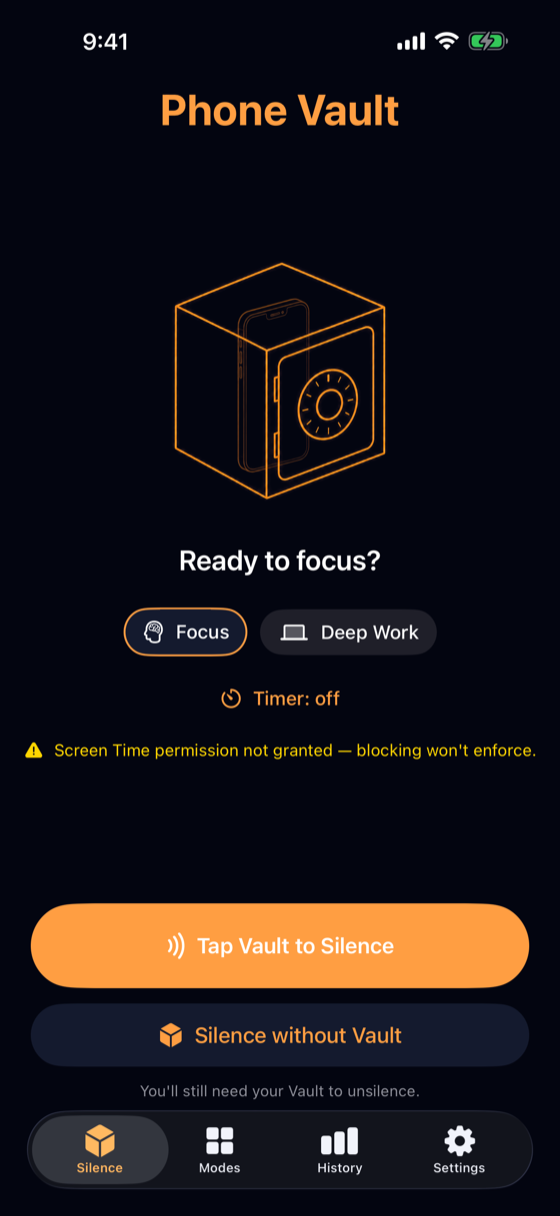
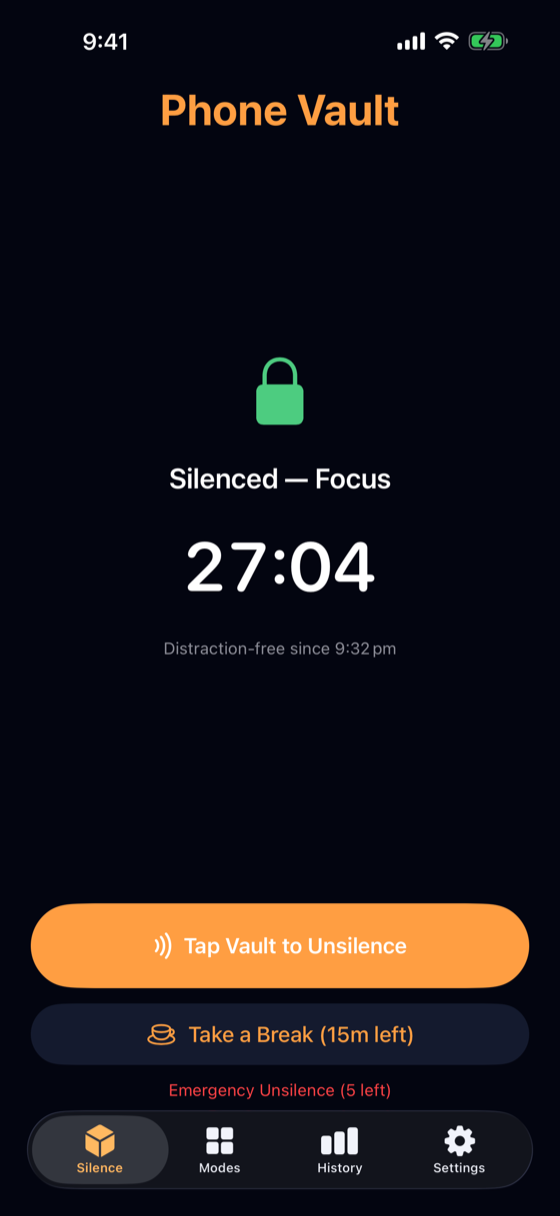
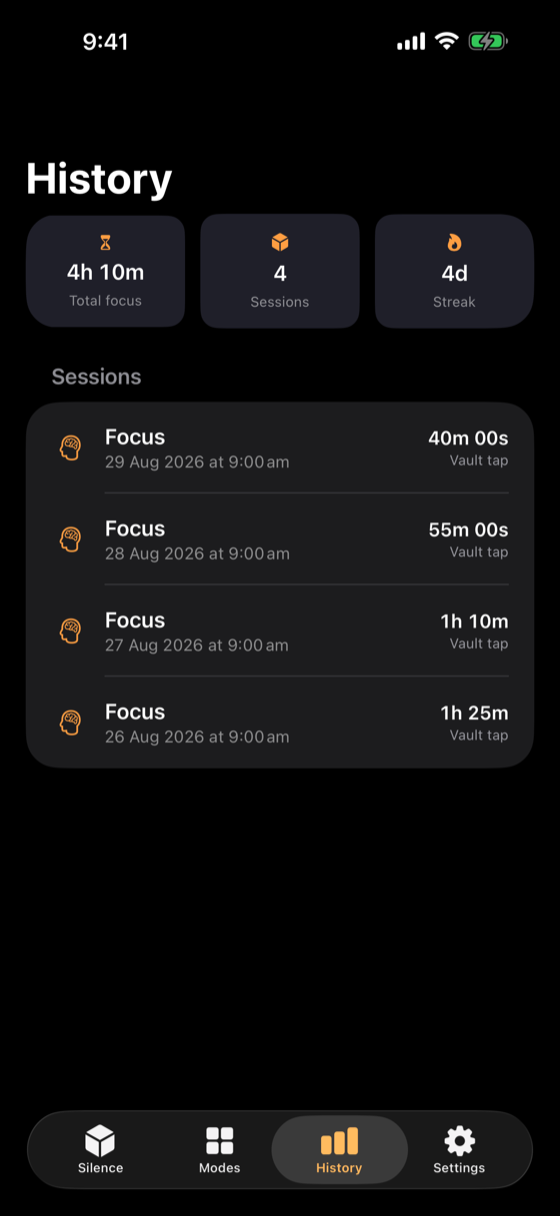
You can also start a session without the Vault (“Silence without Vault”) — starting is always easy. Ending is what requires the key.
Modes — decide what gets silenced
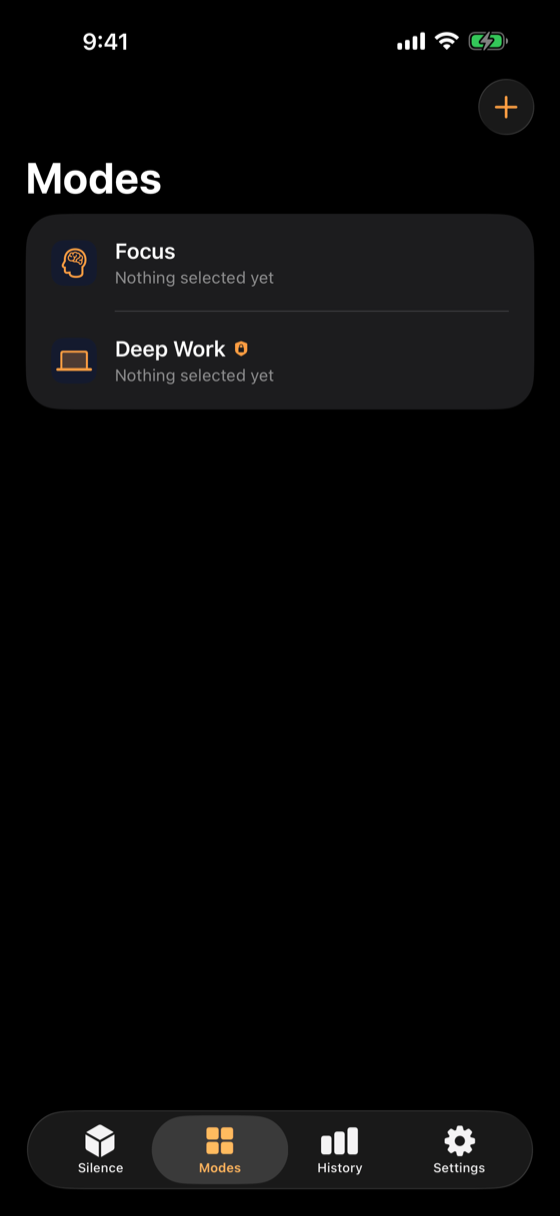
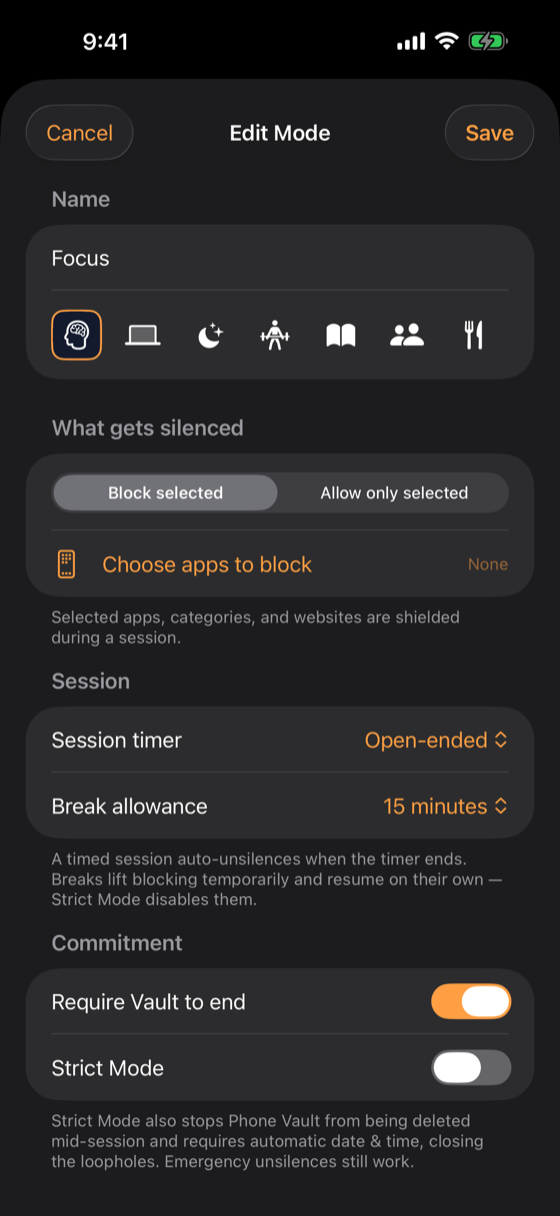
- Block selected shields the apps, categories, and websites you pick.
- Allow only selected flips it: everything is shielded except the apps you choose. (The Phone app can never be blocked, per Apple policy.)
- A per-mode session timer default and break allowance.
- Require Vault to end — without it, a session can be ended in-app.
- Strict Mode for the days you don't trust yourself.
App selection uses Apple's own picker, which hands Phone Vault anonymous tokens — the app never learns which apps you chose.
Physical keys — NFC Vaults and printable QR codes
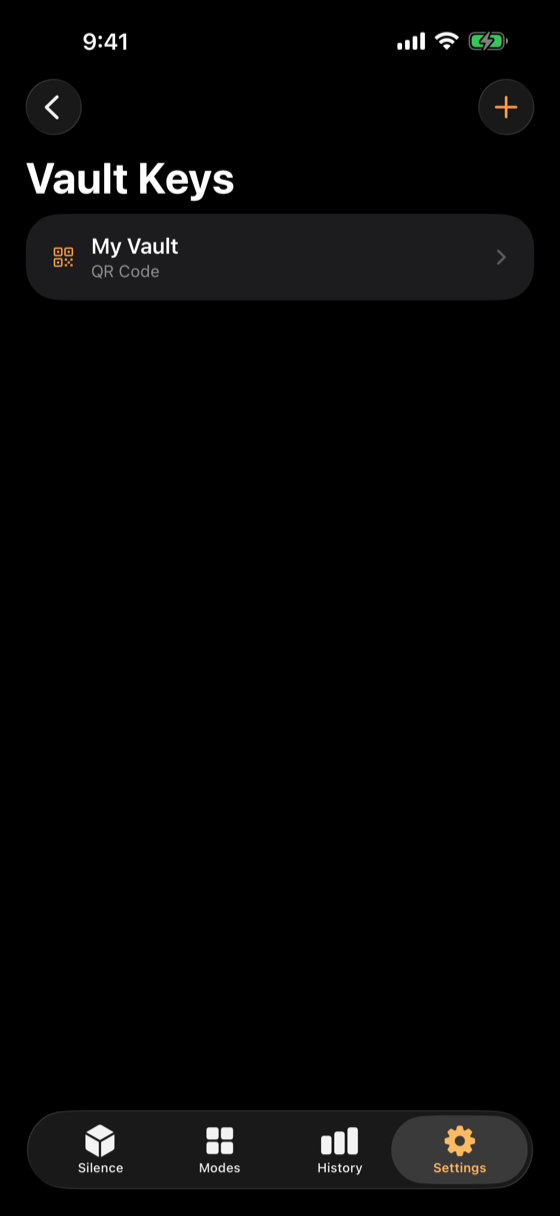
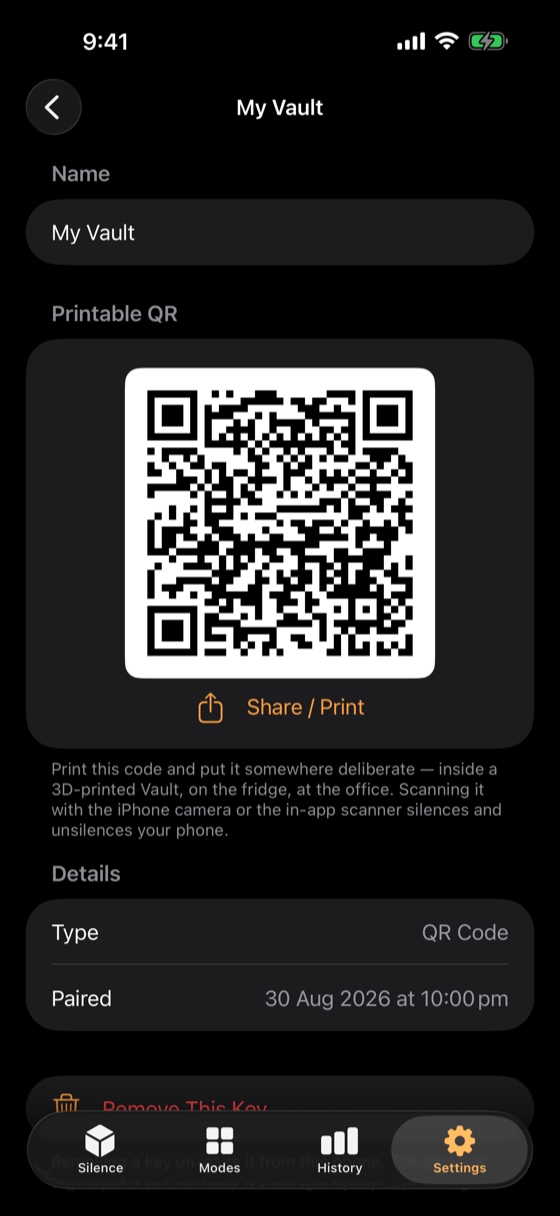
- NFC Vaults — NTAG21x tags (stickers or coins). The iPhone itself writes the pairing link onto the tag; taps are verified by the tag's serial number. Tapping a paired Vault works even with the phone locked and the app closed.
- Printable QR keys — scan with the in-app scanner or the system camera. Honest caveat: the QR payload is the secret, so a photo of it unlocks you — QR keys are friction, not security.
Every scan funnels through the same verification: only a paired key ends a session; unknown tags or codes are rejected. Keys can be renamed, re-paired, and removed — never mid-session or while a key-requiring scheduled block is enforcing.
Timed sessions, breaks, and Strict Mode
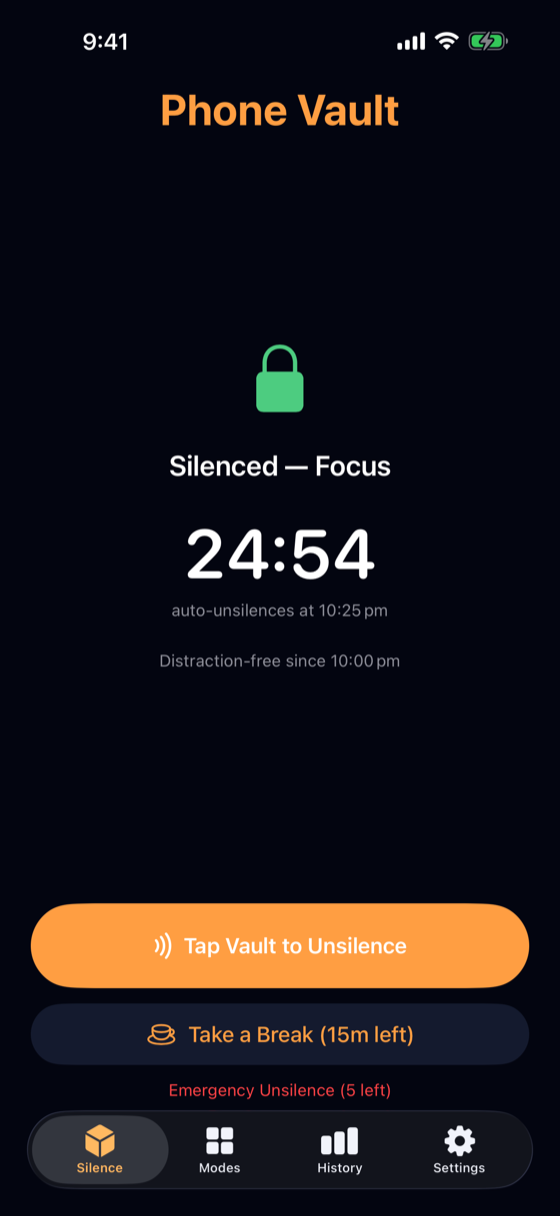
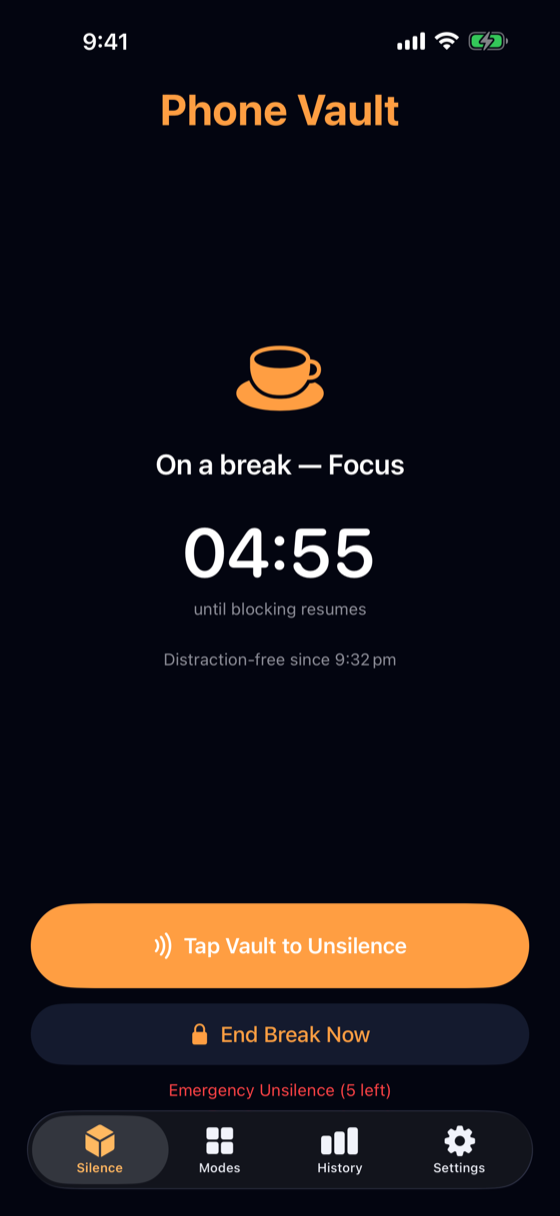
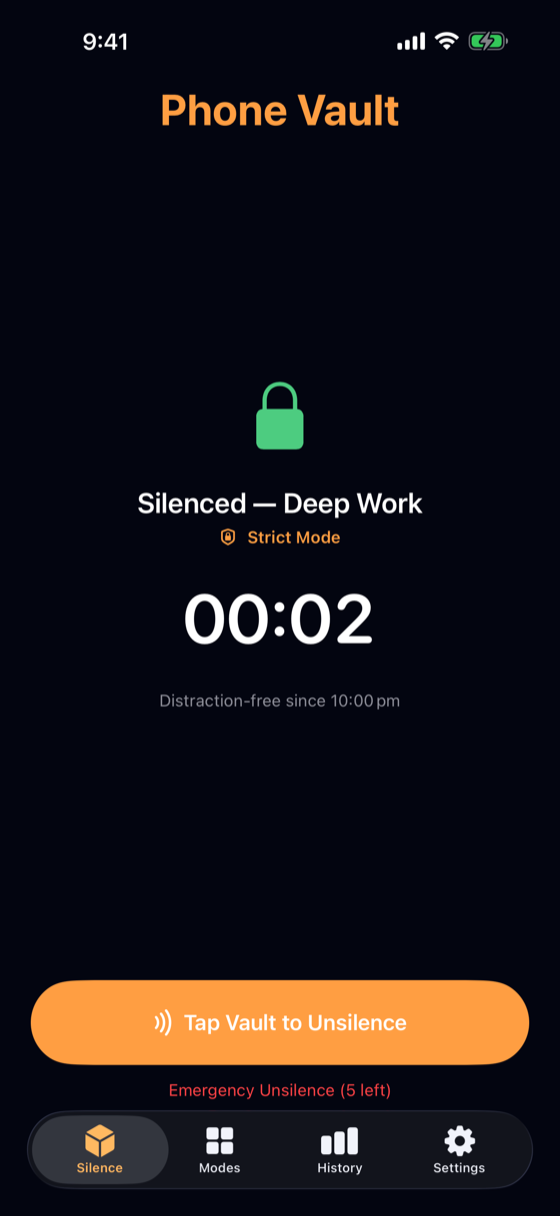
- Timed sessions end themselves at the planned time, with a notification nudge. Shields fail closed — never off early.
- Breaks spend a per-mode allowance; the full break is charged even if ended early, and re-arming is scheduled OS-side so blocking resumes even if the app isn't running.
- Strict Mode also prevents deleting Phone Vault mid-session and requires automatic date & time.
Emergency unsilences — the escape hatch with a price
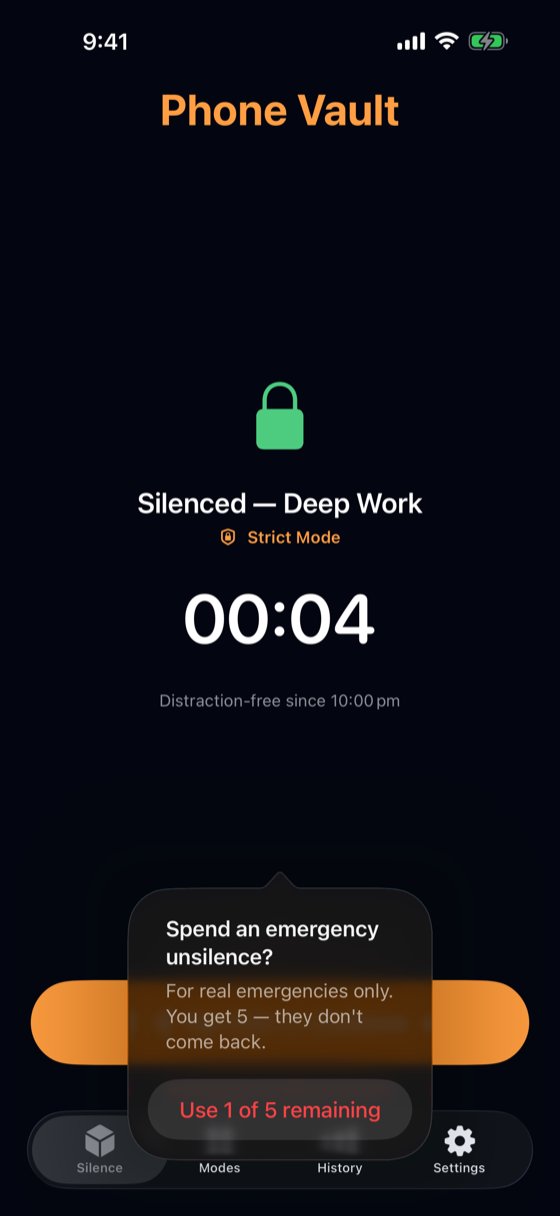
Life happens, and sometimes the Vault is somewhere else. You get 5 emergency unsilences — ever. They don't replenish. Spending one unsilences the phone completely — the session and any scheduled blocks, for a single charge — and is recorded in your history; the remaining count is always visible in Settings. It's the difference between an escape hatch and a revolving door.
Beyond the Home tab, a home-screen widget shows current status, and a Live Activity puts the focus timer in the Dynamic Island and on the Lock Screen.
Scheduled silence — modes on a calendar
A schedule (Modes tab → Schedules) silences a mode automatically on the weekdays and times you choose — Work every weekday 9–5, Sleep every night 10 PM–6 AM (overnight windows supported). Enforcement is armed with the OS, so scheduled blocks apply and lift even when Phone Vault isn't running; whenever the app does run, it reconciles shields against the schedule itself, fail-closed.
Ending a scheduled block early follows the same commitment rule as sessions: tap your Vault to skip the rest of today's block. While a block that requires the Vault is running, its schedule and mode are locked from editing, disabling, and deletion — the walk to the Vault is the only way out.
Screen time — Apple-sourced usage stats
The History tab's Screen Time segment shows Apple's own usage data for this device — total screen time and top apps, for today or the last 7 days. The data never reaches Phone Vault's own process, disk, or the network; what you use stays between you and Apple.
Onboarding
A first-run wizard walks through setup in six short pages — the real permission prompt, the real pairing flow, the real app picker — and every step is skippable, with Settings paths to finish later. A checklist on the final page shows exactly what's still pending.